Setting Up Google Ads
Connect your Google Ads account to NettoProfit using OAuth2. Step-by-step instructions for every field.
Before you start
Google Ads uses OAuth2 authentication requiring credentials from two Google products. Follow each step carefully.
Fields required by NettoProfit
Five fields (one optional) — here is exactly where to find each one.
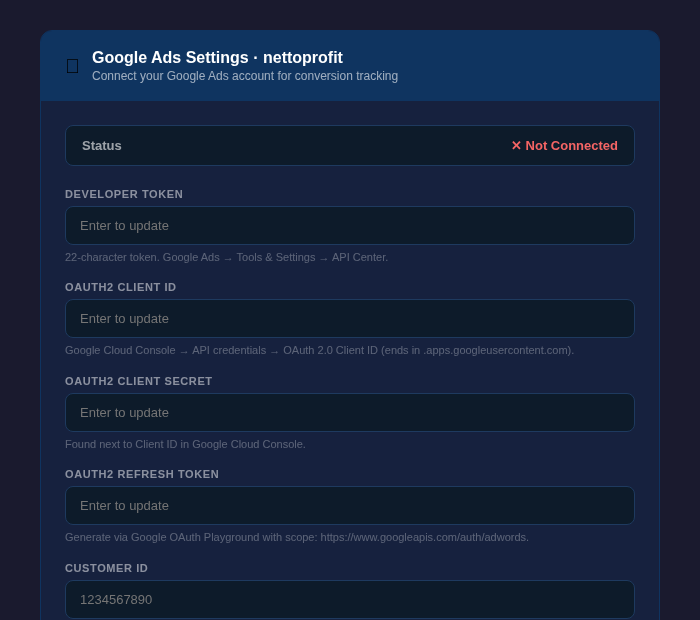
| Field | Location | Status |
|---|---|---|
| Developer Token | Google Ads → Tools & Settings → API Center | Required |
| OAuth2 Client ID | console.cloud.google.com → APIs & Services → Credentials | Required |
| OAuth2 Client Secret | console.cloud.google.com → APIs & Services → Credentials | Required |
| OAuth2 Refresh Token | developers.google.com/oauthplayground → scope: adwords | Required |
| Customer ID | Google Ads → top right corner (no hyphens) | Required |
| Manager (MCC) Customer ID | Google Ads Manager account → Account Settings | Optional |
The Developer Token is a 22-character string that identifies your app when making Google Ads API calls.
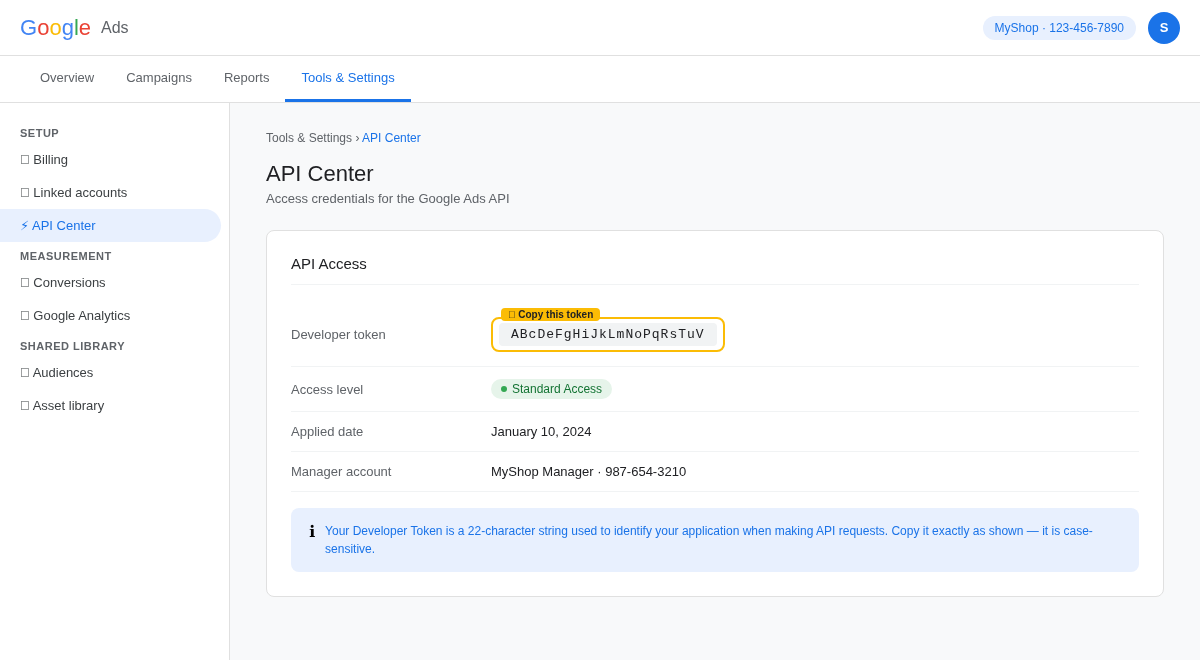
Log in to ads.google.com
Click 🔧 Tools & Settings in the top nav
Under Setup, click API Center
Copy the Developer token value (exactly 22 characters)
Don't see API Center? Apply for access via Tools & Settings → API Center → Apply for access. Standard access is sufficient.
The OAuth2 credentials come from Google Cloud Console. You need an OAuth 2.0 Web Application credential.
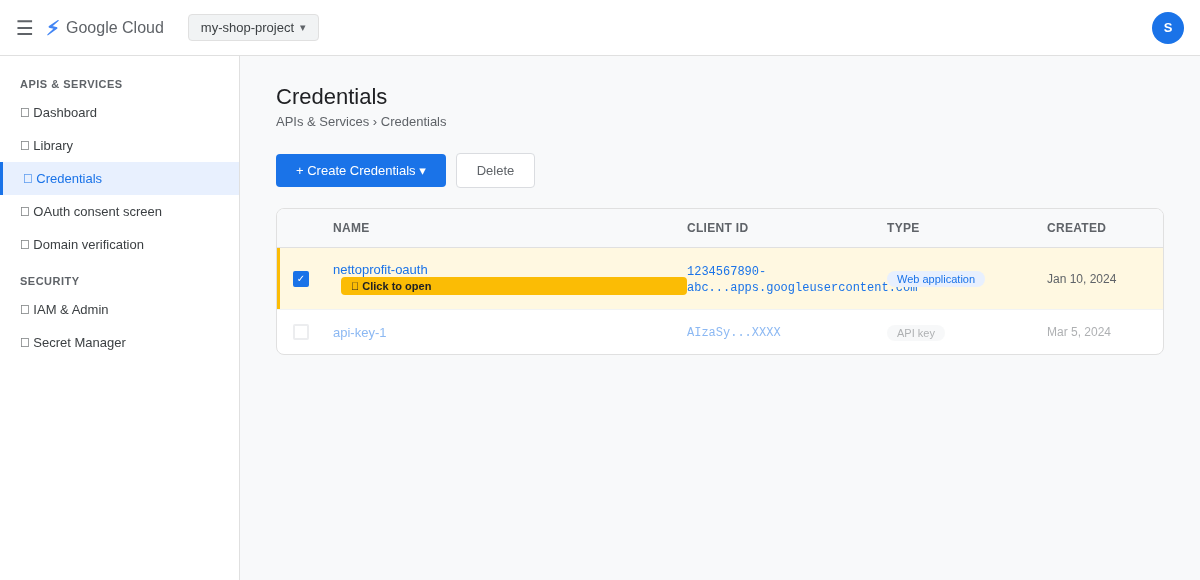
Go to console.cloud.google.com and select your project
Go to APIs & Services → Credentials
If no OAuth client exists: click + Create Credentials → OAuth client ID → Web application
Click your OAuth client to open it
First enable the Google Ads API in your project: APIs & Services → Library → search "Google Ads API" → Enable.
Both values are shown in the OAuth client details dialog. Copy them one at a time.
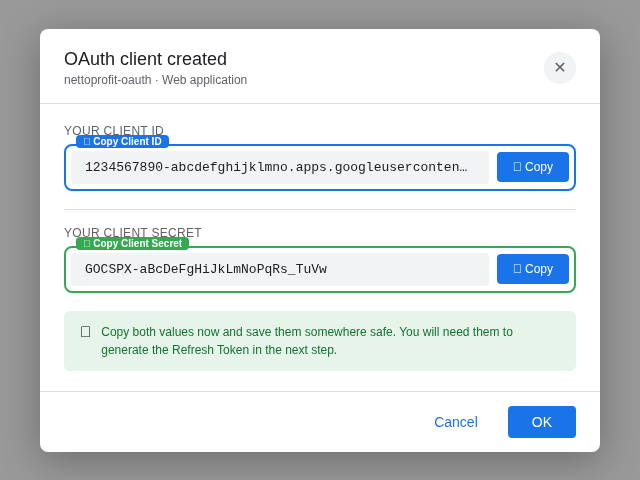
Ends in .apps.googleusercontent.com
Starts with GOCSPX-
Copy the Client ID and paste into OAuth2 Client ID in NettoProfit
Copy the Client Secret and paste into OAuth2 Client Secret in NettoProfit
Keep the Client Secret private. Never share it publicly or commit it to version control.
The Refresh Token lets NettoProfit access your data automatically. Generate it via the Google OAuth Playground. This token doesn't expire.
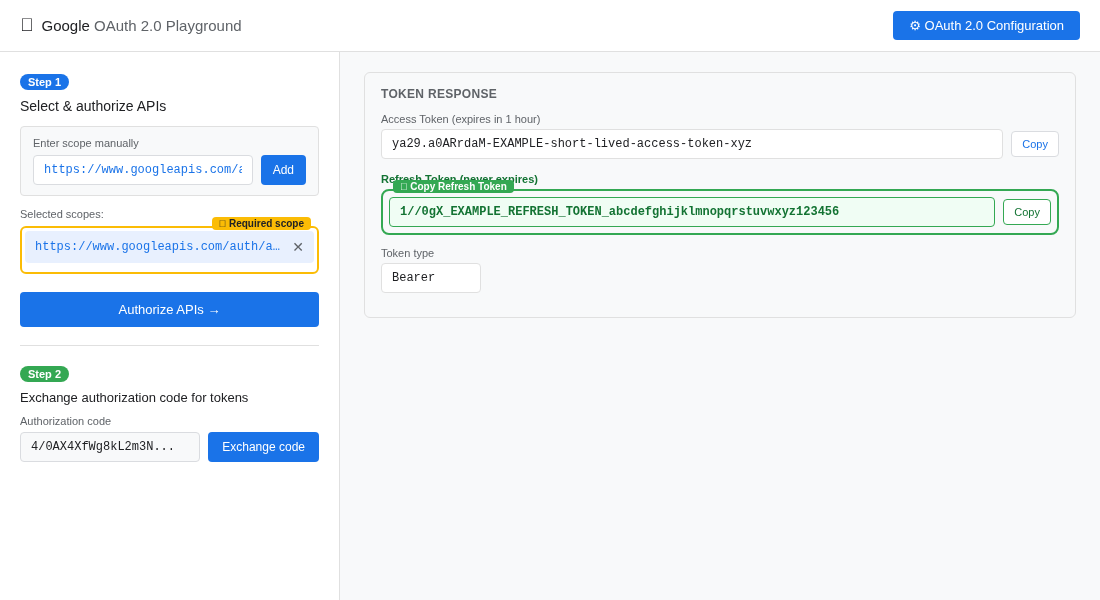
Go to developers.google.com/oauthplayground
Click the ⚙ gear icon, check "Use your own OAuth credentials", enter your Client ID and Secret
Enter scope: https://www.googleapis.com/auth/adwords and click Add
Click Authorize APIs and log in with your Google Ads account
Click Exchange authorization code for tokens
Copy the Refresh Token (starts with 1//)
Copy and save immediately. The Refresh Token starts with 1//. If lost, you will need to generate a new one.
Your Customer ID is shown as XXX-XXX-XXXX in the top right of every Google Ads page. Enter it without hyphens.
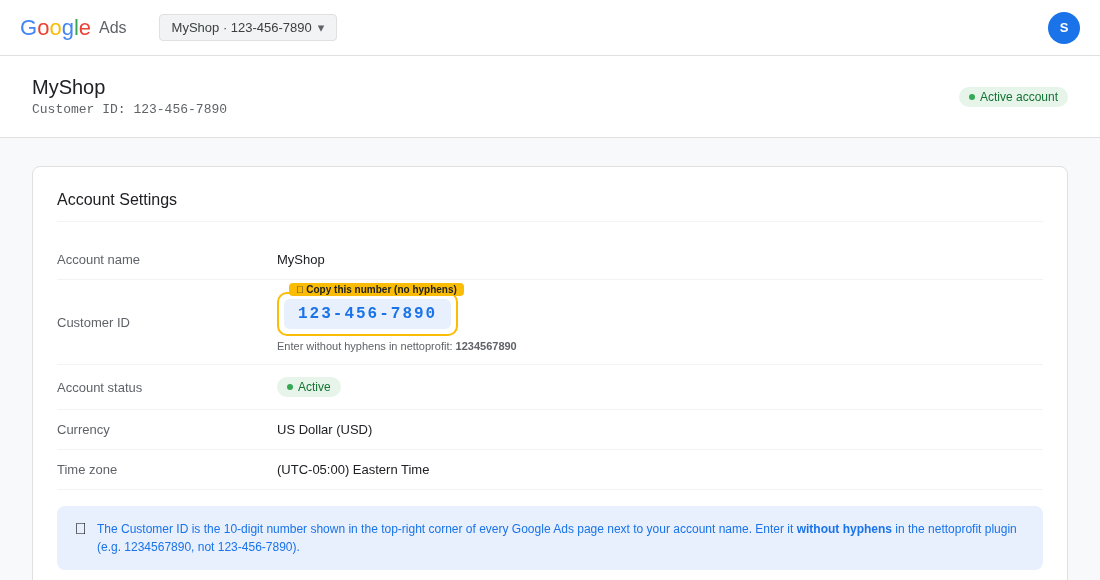
Log in to ads.google.com
Find the Customer ID in the top right next to your account name (e.g. 123-456-7890)
Enter it without hyphens in NettoProfit: 1234567890
If you use a Manager (MCC) account, also enter the MCC Customer ID in the optional field below.
Paste all values into NettoProfit and click Save Settings. Status will change to Connected.

Paste Developer Token (22 chars from Google Ads API Center)
Paste OAuth2 Client ID (ends in .apps.googleusercontent.com)
Paste OAuth2 Client Secret (starts with GOCSPX-)
Paste OAuth2 Refresh Token (starts with 1//)
Enter Customer ID without hyphens
Click Save Settings
Google Ads connected!
Your Google Ads account is now active in NettoProfit. Conversion data will sync into your profit dashboard automatically.
Open Dashboard →